


-
 Pick up from the Woodmart Store
-
 Courier delivery
-
 DHL Courier delivery

 Pick up from the Woodmart Store
Courier delivery
DHL Courier delivery
Pick up from the Woodmart Store
Courier delivery
DHL Courier delivery
 Warranty 1 year
 Free 30-Day returns

 Overview
 Processor
 Display
 RAM
RAM
 Storage
 Video Card
 Connectivity
 Features
 Battery
 General
In stock
In stock
In stock
In stock
In stock
In stock
No account yet?
Create an Account





PlugCart –
Aelia Currency Switcher for WooCommerce Latest Version
This is a GPL-distributed version. No official support. Clean, secure, and legally redistributed under the GPL license.
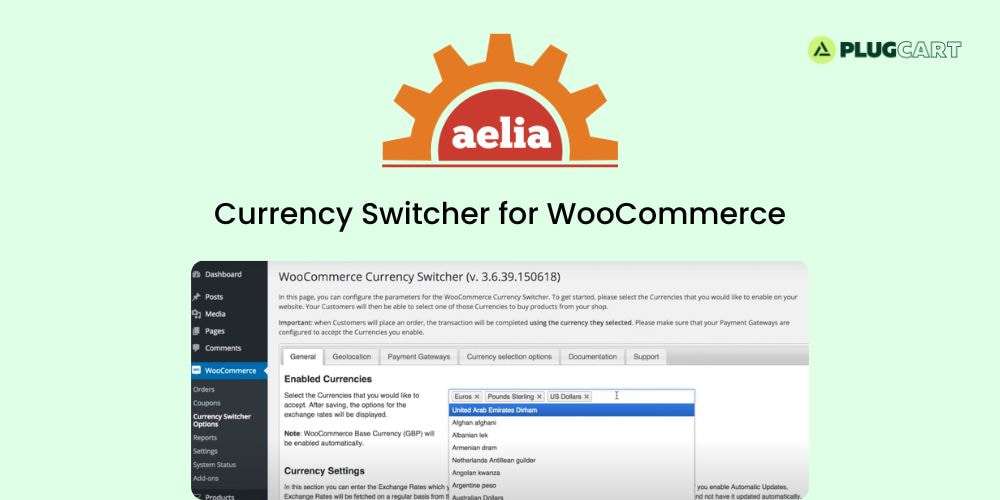
Currency Switcher for WooCommerce allows your shop to display prices and accept payments in multiple currencies. This grants your customers the possibility of shopping in their favourite currency and helps increasing conversions.
Currency Switcher for WooCommerce allows your Visitors to select in which currency they would like to see your prices, as well as complete transactions in such currency.
How it works
Once enabled, the Currency Switcher will allow you to configure a list of the currencies you would like to accept. Such currencies will then appear in a list, displayed as a widget, which your Users can use to choose their preferred currency. When a customer selects a currency, the shop will be both displaying prices and completing transactions in the new currency. The prices displayed on the shop will be the ones that the customer will pay upon completing the order.
Increase conversion by cutting credit card fees
Credit Card operators often charge a conversion fee when a payment is made in a currency different from the one for which the card was issued. This adds an extra cost on every purchase, and it can discourage prospective customers. Giving your Visitors the possibility of paying in their currency can help improving conversion.
Every order will store the currency used to place it, so that both Shop Managers and customers will be able to retrieve it and see how much they paid.