




Easy Digital Downloads Simple Shipping Addon 2.4.3
Original price was: $19.99.$9.99Current price is: $9.99.
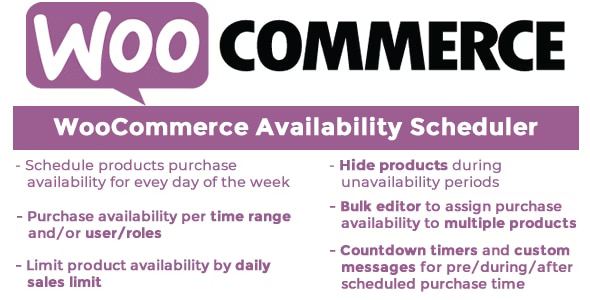
WooCommerce Availability Scheduler 12.6
Original price was: $19.99.$9.99Current price is: $9.99.
-50%
-
 100% Original - All Premium Features Included.
-
 Unlimited Site & Domain Usage
-
 Safe & Secure


Related Products

Elementor PRO WordPress Page Builder + Pro Templates 3.34.0
In stock
Original price was: $19.99.$9.99Current price is: $9.99.


WoodMart Theme Responsive WooCommerce WordPress Theme 8.3.9
In stock
Original price was: $19.99.$9.99Current price is: $9.99.

Wordfence Premium – WordPress Malware Scanner 8.1.4
In stock
Original price was: $19.99.$9.99Current price is: $9.99.

Astra Pro Addon For Astra Theme 4.12.1
In stock
Original price was: $19.99.$9.99Current price is: $9.99.

PlugCart –
WP Synchro Pro
This is a GPL-distributed version. No official support. Clean, secure, and legally redistributed under the GPL license.
Complete migration plugin for WP developers
Save time by automating the repetitive task of synchronizing two sites, such as keeping a local development site synchronized with a production site or a staging site in sync with a production site.
A complete solution to migrate WordPress sites
WP Synchro helps you migrate and synchronize databases and files between two WordPress installations, with the need to control what data to move and easy to run multiple times.
WP Synchro Pro GPL Features:
Pull/Push your site to another location
Pull data down another WordPress site to e.g. a local site, so you have the latest database and files to work on. Push data is the opposite of pull data. It allows you to push new data to another WordPress site, so they are synchronized.
Synchronize files – No more need for FTP
Synchronize the files between your environments. You can choose what to transfer, such as themes, plugins, media or other dirs/files.
Backup database before overwriting
Export database tables to .sql file, before doing database migration, if something should go wrong. Better safe than sorry.
Connect to .htaccess & password protected sites
When having online staging sites or dev sites, you often want to protect them from bots and others accessing them. This is often done by adding username/password protection in .htaccess with Apache and can be done in other ways with other webservers.
Clear cache after migration on popular plugins
After a successful migration, you often want to clear the cache on the target site, to prevent old content from being shown. We support popular cache plugins, that offer a programmatic way of clearing their cache. Currently, we support WP Rocket/WP Super Cache/W3 Total cache/Comet Cache.
Synchronize database with ease and no errors
Synchronize database content between your environments and customize how you want it done.
Search/replace on database sync automatically
Do a search/replace in the database synchronization, to change URLs or other data you want to be changed.
Preconfigured migrations to make it really easy
Choose a preconfigured setup when creating your migration – Such as ‘Synchronize entire site’ or ‘Synchronize entire database’. If you just want to move it all, choose one of the configurations and start migrating.
Email notification on success/failure
You can get an email sent to a list of emails, whenever WP Synchro completes a synchronization. Different lists are used for success and failures. This can be especially nice, when running synchronization as cron jobs, so you can get notifications on the results.
Schedule synchronization with cron and WP-CLI
If you want to run synchronization on a schedule, such as every night at 03:00 or every 30 minutes. You can do this with WP Synchro, by scheduling a cron job on your hosting platform. How this can be done differs widely depending on hosting, but most hosting allow it. Then you can trigger your already-configured synchronization to run without you having to trigger it every time.