




WooCommerce Returns and Warranty Requests 2.7.1
Original price was: $19.99.$9.99Current price is: $9.99.

WooCommerce Lottery - WordPress Competitions and Lotteries, Lottery for WooCommerce 12.3.0
Original price was: $19.99.$9.99Current price is: $9.99.
-50%
-
 100% Original - All Premium Features Included.
-
 Unlimited Site & Domain Usage
-
 Safe & Secure


Related Products

Elementor PRO WordPress Page Builder + Pro Templates 3.34.0
In stock
Original price was: $19.99.$9.99Current price is: $9.99.


WoodMart Theme Responsive WooCommerce WordPress Theme 8.3.9
In stock
Original price was: $19.99.$9.99Current price is: $9.99.

Wordfence Premium – WordPress Malware Scanner 8.1.4
In stock
Original price was: $19.99.$9.99Current price is: $9.99.

Astra Pro Addon For Astra Theme 4.12.1
In stock
Original price was: $19.99.$9.99Current price is: $9.99.

PlugCart –
WooCommerce Support Ticket System Plugin
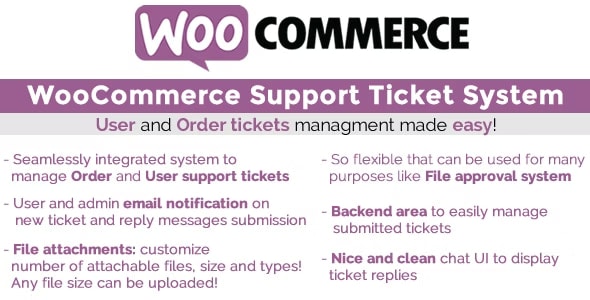
The WooCommerce Support Ticket System (WCSTS) seamlessly integrates into your WooCommerce installation adding a system to manage users and order support tickets! In this way, the Shop admin can easily keep track and give support for order and user issues!
LIVE DEMO
https://www.codecanyon.eu/wcsts/wp-admin
(Shop admin account)
user: demo
pass: demo
(Shop admin account)
user: demo2
pass: demo
(customer account)
user: customer
pass: demo
(customer account)
user: customer2
pass: demo
ORDER TICKETS
Once activated, the plugin seamlessly adds a ticket area in all frontend order details pages (My Account page -> Orders -> select any order). In this special area the user can submit new tickets request support for that particular orders, read the admin replies for the already submitted tickets and submit new messages.
Optionally the user can also attach one or more files. Once a ticket is submitted, the customer and the admin can optionally receive a notification email (notification system and attachment by default are disabled. Enable them via the Options menu).
The order ticket system can also be completely disabled or it can be disabled only for the desired order statuses. Just go to the plugin Options menu and configure its display settings according to your needs!
USER TICKETS
Is automatically displayed in the My account page in its own tab called Personal Ticket Area (text can be customized via texts menu) and can optionally be displayed on any frontend page by using the special
Sort tickets from:
Newer to older
Older to newer
Filter by status:
Show all
Open
in Progress
Closed
NEW TICKET
Product Update Request (Please specify version needed)EXPANDStatus: in Progress, ID:.87340, Number of messages: 6, Created on: January 17, 2023
Product Update Request (Please specify version needed)EXPANDStatus: in Progress, ID:.87180, Number of messages: 2, Created on: January 16, 2023
Submit a new ticket
Please do not create new tickets when a ticket is already opened, reply to the previously opened ticket
Subject
Product Update Request (Please specify version needed)
Product is Missing Some Files
Payment Deducted | Order Not Completed Yet
Not Able to Download A Product
Need Installation/Updation Support
Want to Upgrade/join/Convert My Membership
Want to Cancel My Order
Other Queries (Please specify with details)
Message (Characters left: 500 )Attachment(s) (Max size: 512kb)
OPEN NEW TICKET
shortcode. This ticket type works in the same way of an order ticket for the exception that it is associated with a specific user (the user must be logged to access the ticket area) rather than an order. Once a ticket is submitted, the customer and the admin can optionally receive a notification email (the notification system by default is disabled. It can be enabled via the Options menu).
NOTE: to customize the login message, just use the following format:
Sort tickets from:
Newer to older
Older to newer
Filter by status:
Show all
Open
in Progress
Closed
NEW TICKET
Product Update Request (Please specify version needed)EXPANDStatus: in Progress, ID:.87340, Number of messages: 6, Created on: January 17, 2023
Product Update Request (Please specify version needed)EXPANDStatus: in Progress, ID:.87180, Number of messages: 2, Created on: January 16, 2023
Submit a new ticket
Please do not create new tickets when a ticket is already opened, reply to the previously opened ticket
Subject
Product Update Request (Please specify version needed)
Product is Missing Some Files
Payment Deducted | Order Not Completed Yet
Not Able to Download A Product
Need Installation/Updation Support
Want to Upgrade/join/Convert My Membership
Want to Cancel My Order
Other Queries (Please specify with details)
Message (Characters left: 500 )Attachment(s) (Max size: 512kb)
OPEN NEW TICKET
PAY PER TICKET
The shop manager can now bind to any product (or variant) a number of questions that a user can ask. Once the product is purchased and the order is paid (or marked as completed), the plugin will automatically open a special Pay Per Ticket by which the admin can keep track of the user questions. The product quantity will affect the number of questions that the user will be able to ask.
To assign the number of questions to a product, just edit it and in the General tab, you will find an input field name Questions number. For variable products, the Question number setting will be editable for each variant via the Variations tab.
Example:
The admin binds 6 questions to Product 1
The user buys 2xProduct 1
Once the order will be paid, The plugin will open a Pay Per Ticket having 12 questions
A number of questions left can be editable by the admin using the ticket edit page.
The user can buy multiple products having questions bound to them. The plugin will open a ticket for each of them
Pay per ticket area is displayed in the frontend by using the special
Sort tickets from:
Newer to older
Older to newer
Filter by status:
Show all
Open
in Progress
Closed