




MEC Waiting List Addon 1.5.0
Original price was: $19.99.$9.99Current price is: $9.99.

Directory Pro 2.5.6
Original price was: $19.99.$9.99Current price is: $9.99.
-50%
-
 100% Original - All Premium Features Included.
-
 Unlimited Site & Domain Usage
-
 Safe & Secure


Related Products

Elementor PRO WordPress Page Builder + Pro Templates 3.34.0
In stock
Original price was: $19.99.$9.99Current price is: $9.99.


WoodMart Theme Responsive WooCommerce WordPress Theme 8.3.9
In stock
Original price was: $19.99.$9.99Current price is: $9.99.

Wordfence Premium – WordPress Malware Scanner 8.1.4
In stock
Original price was: $19.99.$9.99Current price is: $9.99.

Astra Pro Addon For Astra Theme 4.12.1
In stock
Original price was: $19.99.$9.99Current price is: $9.99.

PlugCart –
WooCommerce Order Approval Latest Version
This is a GPL-distributed version. No official support. Clean, secure, and legally redistributed under the GPL license.
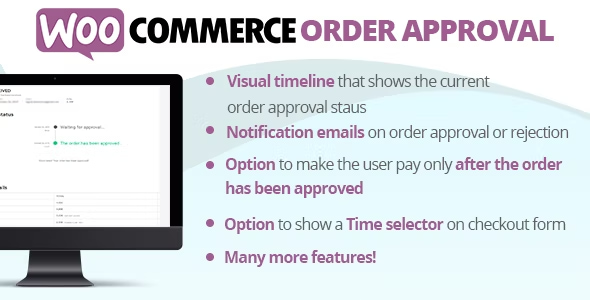
WooCommerce Order Approval plugin seamlessly integrates into your WooCommerce system allowing you to approve or reject all the orders placed by customers!
LIVE DEMO
https://www.codecanyon.eu/wcoa/wp-admin
(Shop admin account)
user: demo
pass: demo
(Customer account)
user: demo2
pass: demo
HOW TO AUTOMATICALLY UPDATE THE PLUGIN?
To receive automatic updates just install and configure the Envato updater plugin: https://goo.gl/pkJS33 . The official guide that explains how to configure it can be found in the following link: https://envato.com/market-plugin .
HOW IT WORKS: APPROVAL WORKFLOW
Once installed and activated, the plugin allows you to reject or approve all the orders placed by the customers according to one of those two workflows (that you have to select through the Settings menu):
Pay and wait for approval: the customer will normally place the order as it happens for any WooCommerce order. The site admin can lately approve or reject the order. For both cases, the customer will receive a notification email.
Wait for approval and pay: the customer will place the order without being charged. Once the order will be marked as approved the customer has to manually pay for it through the order details page.
APPROVAL TIMELINE
The customers (registered and guests) can keep track of the order approval status through a visual timeline displayed on the order details page! Each step text can be customized through the text menu.
LIVE UPDATED TIMELINE
Order status timeline is live updated! This means that the user has no need to manually update the page in order to have to know the current order approval status!
TIME SELECTOR OPTION
The plugin gives the option to display a time selector in the Checkout form! This can be very useful for food delivery services!
EMAIL NOTIFICATIONS
Every time the order hits the Approved or Rejected status, the plugin will send a notification email to the customer. Notification messages text can be customized through the Text menu.
NOTE: The plugin hasn’t any support for 3rd party customization email plugins. The template can be manually modified and copied into the theme folder ({theme_folder}/woocommerce/emails/). Templates are located in the templatesemails folder inside the plugin.
NEW ORDER STATUSES
To easily keep track of the order approval statuses, will add three new statuses: Waiting for approval, Rejected, Approved statuses.
APPROVAL/REJECTION LINKS EMBEDDED ON THE ADMIN NEW ORDER EMAIL
The plugin embeds in the new order email sent to the admin the links to directly approve or reject the just placed order!
ORDER CANCELLATION BY CUSTOMER
Through the Options menu, you can enable the option to allow the customer to cancel the order once it has been approved. The cancellation can be performed in X minutes, where X can be configured through the option.
ORDER AUTOMATIC CANCELLATION IF NOT PAID
The order can be optionally canceled by the system if, once approved and if it needs to be paid, the user doesn’t perform the payment in X minutes, where X can be configured in the options menu.
NOTE: the order cancellation will be performed when the user accesses the order details page.
AUTOMATIC ORDER APPROVAL BY PAYMENT GATEWAY, SHIPPING METHOD, COUPONS, PRODUCTS, CATEGORIES, USER ROLE, OR ORDER SUBTOTAL!
The order can be optionally set to be automatically approved according to the payment gateway, the shipping method, specific products/cateogries, user roles, or order subtotal (sum of the products costs excluding taxes)!
Note: the plugin only supports shipping methods defined using the native WooCommerce functionalities. NO SUPPORT for 3rd party plugins.
In case of automatical approval by products and categories, the shop admin can choose two different strategies:
Manual approval only for the selected products/categories: if the order contains none of the selected products or categories, it will be automatically approved
Automatically approved for the selected products/categories: if the order contains at least one of the selected products or categories, the order will be automatically approved, otherwise, it will require manual approval by the shop manager
The automatic order approval option for coupons can be found while configuring the coupon via the WooCommerce -> Coupons -> Coupon menu