



Formidable Datepicker Options 3.0
Original price was: $19.99.$9.99Current price is: $9.99.

Codiqa - Software, App & Digital 1.2.0
Original price was: $19.99.$9.99Current price is: $9.99.
-50%
-
 100% Original - All Premium Features Included.
-
 Unlimited Site & Domain Usage
-
 Safe & Secure


Related Products

Elementor PRO WordPress Page Builder + Pro Templates 3.34.0
In stock
Original price was: $19.99.$9.99Current price is: $9.99.


WoodMart Theme Responsive WooCommerce WordPress Theme 8.3.9
In stock
Original price was: $19.99.$9.99Current price is: $9.99.

Wordfence Premium – WordPress Malware Scanner 8.1.4
In stock
Original price was: $19.99.$9.99Current price is: $9.99.

Astra Pro Addon For Astra Theme 4.12.1
In stock
Original price was: $19.99.$9.99Current price is: $9.99.

PlugCart –
WooCommerce Google Spreadsheet Addon
This is a GPL-distributed version. No official support. Clean, secure, and legally redistributed under the GPL license.
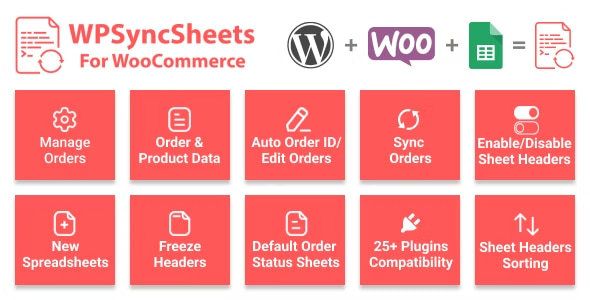
WPSyncSheets For the WooCommerce plugin sync with your WooCommerce Orders, Products, Customers, Coupons, and Events to a single Google Spreadsheet.
WooCommerce Google Spreadsheet Addon GPL Features:
Import/Export
Easily import and export WooCommerce orders, products, coupons, customer and events data using Google Spreadsheets.
Multiple Feeds (Future Update)
Create as many feeds and collect all WooCommerce data in a Google Spreadsheet without opening Google Drive.
Scheduled Auto Export
Get rid of the tedious work. You can automate your exports and schedule them to synchronize Google Spreadsheets at a particular assigned time.
Create Auto Spreadsheet & Sheet
WPSyncSheets automatically creates Google Spreadsheets & Sheets to syncs all your WooCommerce data in it.
35+ Third Party Plugins Compatibility
WPSyncSheets is fully compatible and works flawlessly with 35+ third-party WooCommerce plugins.
Powerful Filter
Enable product category filter to display products of a particular category in Google Spreadsheets.
Manage Order Wise/Product Wise
You can choose whether to manage and create Google Spreadsheets order-wise or product-wise.
Row Color Options
Highlight rows by adding background row color directly from the plugin’s Settings page – no more need to switch tabs.
Multiple Google Accounts (Future Update)
Connect multiple Google accounts to manage and share product and order data with your team members.
Add/Edit/Delete/Reorder Columns
Get complete control over the columns’ settings. You can add, edit, delete and reorder sheet columns directly from the admin area.
Sheets as Order Statuses
WPSyncSheets automatically creates a single sheet in the spreadsheet based on the particular order status, making your work more accessible and manageable.
Multi Languages & Multi Site Support
WPSyncSheets is 100% translation-ready and can be used on your multisite network setups.
Generate Graphs
Generate beautiful visual graphs and showcase data directly in Google Spreadsheets.
View/Clear/Download Spreadsheet
Get all options in one place. View, Clear and Download your Google Spreadsheet with a single click from the plugin’s Settings page.
One Time Settings
You don’t need to hassle with the plugin’s settings repeatedly. Configure the plugin once as per your needs, and you’re good to go.
Freeze Auto First Row & Format Option
Freeze the first row to make your sheet more interactive and get all formatting options directly accessible from the plugin’s Settings page.