



LearnDash Group Registration Addon 4.3.17
Original price was: $19.99.$9.99Current price is: $9.99.
Direct Checkout for WooCommerce Pro 3.3.8
Original price was: $19.99.$9.99Current price is: $9.99.
-50%
-
 100% Original - All Premium Features Included.
-
 Unlimited Site & Domain Usage
-
 Safe & Secure


Related Products

Elementor PRO WordPress Page Builder + Pro Templates 3.34.0
In stock
Original price was: $19.99.$9.99Current price is: $9.99.


WoodMart Theme Responsive WooCommerce WordPress Theme 8.3.9
In stock
Original price was: $19.99.$9.99Current price is: $9.99.

Wordfence Premium – WordPress Malware Scanner 8.1.4
In stock
Original price was: $19.99.$9.99Current price is: $9.99.

Astra Pro Addon For Astra Theme 4.12.1
In stock
Original price was: $19.99.$9.99Current price is: $9.99.

PlugCart –
WooCommerce Boost Sales Plugin introduction
This is a GPL-distributed version. No official support. Clean, secure, and legally redistributed under the GPL license.
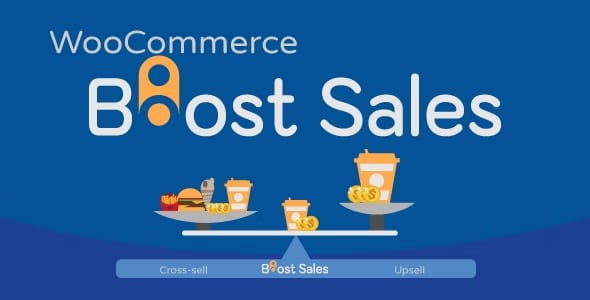
WooCommerce Boost Sales stimulates the purchase of customers by up-selling, cross-selling. Increase revenue as well as profitability for your website, stores. WooCommerce Boost Sales allows you to add WooCommerce upsell, cross-sell products in an independent system of WooCommerce.
Up-selling is the practice in which a business tries to persuade customers to purchase a higher-end product, an upgrade, or an additional item in order to make a more rewarding sale. For instance, a salesperson may influence a customer into purchasing the newest version of an item, rather than the less-expensive current model, by pointing out its additional features.
A similar marketing technique is cross-selling, where the salesperson suggests the purchase of additional products for sale. For example, he might say “Would you like some ice cream to go with that cake?” It is beneficial for businesses to use both techniques in order to boost revenue and provide a valued consumer experience. However, research has shown that upselling is generally more effective than cross-selling.
Up-sell: Woocommerce Upsell pop-up appears after customers click on the Adds to cart button, suggesting customers buy up-sell products which give you more profit.
Cross-sale: Display cross-sell pop-up in the single product page, cart page, check-out page. Suggest customers buy a bundle product that has a lower price.
Discount Bar: Displays how much need to spend to get a discount. Stimulate customers to buy more products.
WooCommerce Boost Sales GPL Features:
UP-SELL:
Display up-sells pop-up: Display a WooCommerce upsell pop up which introduces up-sell products when customers hit the Add to Cart button. Up-sells products are similar products but give you more profit.
Sync data with WooCommerce: if you have created WooCommerce upsell product before, the plugin allows you to syncs and use these products to WooCommerce Boost Sales.
Add up-sell products to each product: Configure which products will appear on up-sell pop-up of each product.
Hide on single product pages: Enable/disable the pop-up on single product pages
Show all products in the category: Display all products in the category of the product customers just add to cart in up-sell pop-up.
Exclude product: Select products you don’t want to appear on up-sell pop-up.
Customize up-sells pop-up: Select the pop-up style, customize how many products appear on the pop-up, customize the message.
AJAX Add to Cart: add up-sell products to the cart without reloading the page.
CROSS-SELL:
Product Bundles: Creating product bundles then selling at discounted prices.
Show Cross-sells popup: Display cross-sell pop-up with a bundled product that includes the product that customers are going to buy.
Display under Add to cart button: Display cross-sells bundle under the Add to cart button on the single product page.
Configure which page to appear: Select which pages will the cross-sell pop-up appear.
Select the product bundle to display: In case a product is in 2 or more bundles, you can select to display the highest price or just random.
Variation products: It is available to add variation products to cross-sell bundle, customers can also choose the variable option right in the pop-up.
Customize the message: Customize the cross-sell pop-up message (Hang on we have this offer just for you)
Unlimited design: Customize the cross-sell bundle with background, text, icon, initial delay.
Position: Choose to display the cross-sell bundle under add to cart button, above the product description, or on a pop-up.
Bundle name: By default, the bundle will be named “Bundle of …” you are able to change this name.
Discount rule: Set up the default discount price of the bundle using rules. Each rule will be applied for a price range.
Sync Cross-Sell from WooCommerce: sync cross-sell bundles from WooCommerce cross-sell.
AJAX Add to Cart: Add bundles to the cart without reloading the page.
Use bundle for other products: After creating a bundle, you can display it on many other products.
DISCOUNT BAR:
Discount progress bar: The discount progress bar displays how much customers need to spend to get the discount. (Base on the discount coupon of WooCommerce system).
How much more: Support users know how much they need to spend more to achieve the discount.
Sync data with WooCommerce: The plugin sync data with WooCommerce. You can select the coupon created in the WooCommerce system to display on the discount progress bar.
Thanks to customers: When a customer achieves a minimum for the discount, a THANK YOU message will display to congrats them.
Customize discount progress bar: You can customize the position, color, background, description, and messages of the progress bar.
Automatically direct to the checkout page: Allow automatically redirect to the checkout page after reach the discount.