




Selio - Real Estate Directory 1.9
Original price was: $19.99.$9.99Current price is: $9.99.

DGWork Theme - Responsive Digital Shop & Market Easy Digital Downloads Theme 1.8.9.1
Original price was: $19.99.$9.99Current price is: $9.99.
-50%
-
 100% Original - All Premium Features Included.
-
 Unlimited Site & Domain Usage
-
 Safe & Secure


Related Products

Elementor PRO WordPress Page Builder + Pro Templates 3.34.0
In stock
Original price was: $19.99.$9.99Current price is: $9.99.


WoodMart Theme Responsive WooCommerce WordPress Theme 8.3.9
In stock
Original price was: $19.99.$9.99Current price is: $9.99.

Wordfence Premium – WordPress Malware Scanner 8.1.4
In stock
Original price was: $19.99.$9.99Current price is: $9.99.

Astra Pro Addon For Astra Theme 4.12.1
In stock
Original price was: $19.99.$9.99Current price is: $9.99.

PlugCart –
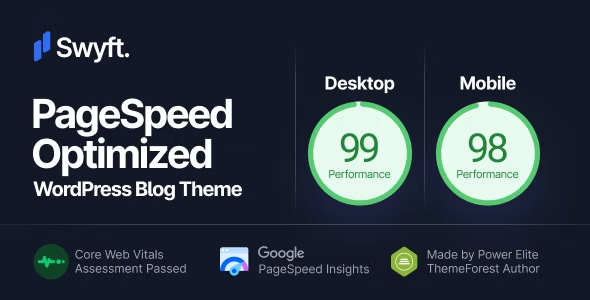
Swyft Theme – PageSpeed Optimized WordPress Blog Theme Latest Version
This is a GPL-distributed version. No official support. Clean, secure, and legally redistributed under the GPL license.
It’s easy to get started with Swyft. As a rule, the on-boarding process consists of the following steps:
Theme Installation
Activation of a Theme Demo
Regenerating Thumbnails (optional)
Theme Installation
It’s easy to install Swyft. Just follow these steps, they won’t take much of your time.
Download the Theme
Go to ThemeForest Downloads and next to Swyft, click the Download button. There’re two options to download Swyft: All files & documentation or Installable WordPress file only.
If you select the Installable WordPress file only option, the downloaded archive is the theme archive file you need to upload to your website.
If you select All files and documentation, you will need to extract the downloaded file on your computer. Inside the folder you will find another archive called swyft.zip. This is the theme archive file you need to upload.
Upload the Theme to Your Website
Login to your WordPress admin panel and navigate to Appearance → Themes.
Click Add New button at the top of the page, then the Upload Theme button on the next page.
Install and Activate the Theme
Select the theme archive file on your computer and click Install Now.
Once the file is uploaded and installed, click Activate.