



WooCommerce Split Orders 1.8.4
Original price was: $19.99.$9.99Current price is: $9.99.
YITH WooCommerce Email Templates Premium 1.40.0
Original price was: $19.99.$9.99Current price is: $9.99.
-50%
-
 100% Original - All Premium Features Included.
-
 Unlimited Site & Domain Usage
-
 Safe & Secure


Related Products

Elementor PRO WordPress Page Builder + Pro Templates 3.34.0
In stock
Original price was: $19.99.$9.99Current price is: $9.99.


WoodMart Theme Responsive WooCommerce WordPress Theme 8.3.9
In stock
Original price was: $19.99.$9.99Current price is: $9.99.

Wordfence Premium – WordPress Malware Scanner 8.1.4
In stock
Original price was: $19.99.$9.99Current price is: $9.99.

Astra Pro Addon For Astra Theme 4.12.1
In stock
Original price was: $19.99.$9.99Current price is: $9.99.

PlugCart –
Image Map Pro for WordPress Latest Version
This is a GPL-distributed version. No official support. Clean, secure, and legally redistributed under the GPL license.
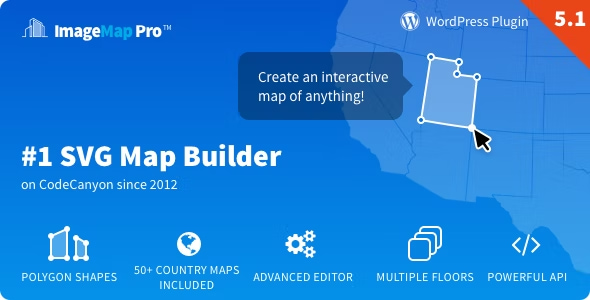
Image Map Pro is so much more than just another image map plugin. Place locations, add text, yeah sure – that’s true. But that’s where the ordinary stops.
Image Map Pro comes with its own feature-rich web app, so you can quickly and easily create the most comprehensive selection of custom image maps, pins, SVG, and polygon shapes, and immediately export them to your website.
Image Map Pro GPL Top Features
50+ Maps of Countries and Continents Included
Custom Polygon Shapes
Over 600 High-Quality FontAwesome Icons
Super Advanced Backend Editor
Content Builder for Tooltips
Fully Responsive
JavaScript & HTML API
Click/Mouseover Actions
Custom Styles for Shapes
Image Map Import/Export
Undo/Redo Functionality
Zooming in the Editor
Fullscreen Capability
Rename & Reorder Shapes
Copy/Paste & Duplicate Shapes
Automatic Updates
1. Super Advanced Drag-and-drop Editor
The User Interface is instantly familiar Drag & Drop with self-explanatory steps, icons, and shape tools at your disposal – it couldn’t be any easier. Just to be sure though, we’ve also included a super sharp step-by-step video guide in case you need your handheld lovingly, along the way.
Check it out now by trying out the Editor live!
50+ maps of countries bundled in.
We have included over 50 maps of countries with regions, continents, and the world, all ready to use and highly customizable.
You can add pins, change colors, enable/disable regions, execute custom code on click and even draw polygons, text, and other shapes on top.
2. Add Anything to the Tooltips with a Content Builder
Image Map Pro comes with Squares – our bespoke content builder that lets you add rich content to the tooltips of your image map. Add Video, YouTube content, Images or Buttons, and of course Text with styles to boot. You can even arrange your content in a 12 column Bootstrap style grid. Go nuts, you’re welcome.
3. Draw Your Own Custom Shapes
Image Map Pro is the only plugin that allows you to draw custom polygon shapes. You can even zoom in for maximum precision! Of course, you can still draw the good old-fashioned circles and rectangles, but that is so 2007…
4. Over 600 High-Quality FontAwesome Icons
In the Editor, you will find a library of over 600 high-quality FontAwesome SVG icons included for FREE. You can change their size and color and they will scale perfectly. Need to use your own icon? You can do that too!
5. Endless Combinations of Styles and Animations
With the Editor, you can customize properties like opacity, fill, stroke, and corner radius to match the design of your site. You can also have separate styles on mouseover, or make the shapes completely invisible.
6. Looking for Even More Features?
Responsive
Image Map Pro will scale beautifully on every kind of device, and if you have tooltips that need to display a lot of information you can even make them full screen with the flick of a button.
JavaScript and HTML API
Run JavaScript when a user clicks a shape or triggers a tooltip to appear by adding an HTML attribute to any element on your page.
Custom Actions
Tooltips can be made to appear on mouseover or click – purpose-driven to suit you. Of course, that might mean turning them off altogether, also an option with IMP. Or you can make them links. It’s up to you!