



Anywhere Elementor Pro 2.29.3
Original price was: $19.99.$9.99Current price is: $9.99.

Kreatura Slider/LayerSlider Premium – Responsive WordPress Slider Plugin 8.1.2
Original price was: $19.99.$9.99Current price is: $9.99.
-50%
-
 100% Original - All Premium Features Included.
-
 Unlimited Site & Domain Usage
-
 Safe & Secure


Related Products

Elementor PRO WordPress Page Builder + Pro Templates 3.34.0
In stock
Original price was: $19.99.$9.99Current price is: $9.99.


WoodMart Theme Responsive WooCommerce WordPress Theme 8.3.9
In stock
Original price was: $19.99.$9.99Current price is: $9.99.

Wordfence Premium – WordPress Malware Scanner 8.1.4
In stock
Original price was: $19.99.$9.99Current price is: $9.99.

Astra Pro Addon For Astra Theme 4.12.1
In stock
Original price was: $19.99.$9.99Current price is: $9.99.

PlugCart –
B2B Pro WooCommerce Wholesale Plugin
This is a GPL-distributed version. No official support. Clean, secure, and legally redistributed under the GPL license.
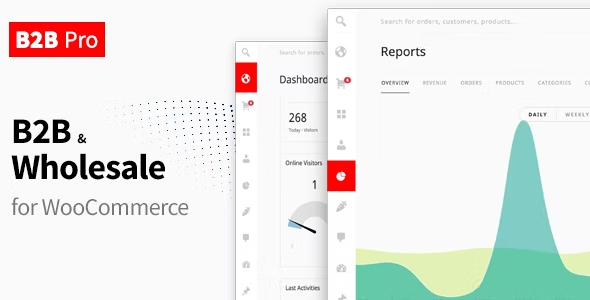
B2B Pro is a powerful WooCommerce B2B and Wholesale plugin that allows you to control your store for both B2B and B2C customers. You can organize your customers into groups, apply different prices for each customer group, hide products, disable shipping/payment methods separately and much more.
And best of all, you can do them easily with a panel specially designed for e-commerce.
B2B Groups
Organize your customers into groups
Choose which shipping methods will be active for each group
Choose which payment methods will be active for each group
Add special rules, discounts, or product/category visibility settings for each group
Extend registration and billing form
Add unlimited extra fields
Add unlimited registration types and link them to groups
Approve customers automatically or manually according to the registration type
Create a separate registration form for B2B
Add VAT number to the registration form
Product visibility
Hide products by customer groups
Hide categories by customer groups
Restrict shop page to visitors
Restrict the size completely to visitors
Put the “Request a quote” button instead of “Add to cart”
Product pricing
Set different prices for each customer group
Price tiers based on quantity
Show price tiers table on product page
Offers
Add a page for offers to the My Account page
Give special offers to the customer or the group
Track how many people viewed added to the cart or purchased the offer
Request a quote
Allows your customers to request quotes from you
Add extra fields to the “Request a quote” and get additional information from customers.
Choose which groups can see the “Request a quote” button
Convert quotes to offers
Shipping methods management
Enable/disable shipping methods for each group
Create rules for free shipping option
Payment methods management
Enable/disable payment methods for each group
Set the minimum and maximum order amount for the payment method
Get a discount/surcharge for the payment method
Show the discount amount in the payment method title
Rules
Assign various rules throughout the store
Adjust Price – Make discounts on the products or categories
Hide Price – Hide the prices of the products or categories
Step – Make it mandatory for the products you choose to be added to the cart in the form of X and its multiple
Minimum Order – Set minimum value or qty required to be in the cart in order to place an order
Maximum Order – Set maximum value or qty required to be in the cart in order to place an order
Free Shipping – Choose when the Free Shipping option will be active
Cart Discount – Make a discount on the cart
Add fee – Add an additional fee to the cart
Payment Method – Discount – Apply a discount for the payment methods you choose
Payment Method – Min & Max – Choose the minimum and maximum amounts for payment methods
Tax Exemption (Customer) – Tax exemption for the customers
Tax Exemption (Product) – Tax exemption for the products
Admin Panel/Theme
It is our greatest passion to make the whole WooCommerce experience easier, faster and more beautiful. That’s why with B2B Pro we offer an e-commerce-oriented admin panel/theme to improve your entire store management experience, not just B2B.
If you do not want to use this panel, you can turn it off at any time from the
B2B Pro > Settings > Features page and continue to use the classic WP Admin panel.
Or better: You can use the classic WP Admin panel and the B2B Pro Admin Panel at the same time!
Notes
B2B Pro does not include any theme for the frontend. It works with your current WooCommerce theme.
For the backend, it includes an optional admin theme only for Shop Manager and Admins; and you can disable it if you don’t want to use it.
Translation
You can translate B2B Pro to any language with Loco Translate