




WooCommerce Cost of Goods 2.15.1
Original price was: $19.99.$9.99Current price is: $9.99.

Vihara - Ashram & Oriental Buddhist Temple Elementor Template Kit
Original price was: $19.99.$9.99Current price is: $9.99.
-50%
-
 100% Original - All Premium Features Included.
-
 Unlimited Site & Domain Usage
-
 Safe & Secure


Related Products

Elementor PRO Original Lifetime Last Version
In stock
Original price was: $39.99.$19.99Current price is: $19.99.


WoodMart Theme WordPress WooCommerce Last Version
In stock
Original price was: $19.99.$9.99Current price is: $9.99.

Wordfence Premium – WordPress Malware Scanner 8.1.4
In stock
Original price was: $19.99.$9.99Current price is: $9.99.

Astra Pro Addon For Astra Theme Last Version
In stock
Original price was: $19.99.$9.99Current price is: $9.99.

PlugCart –
Sales Countdown Timer for WooCommerce and WordPress Latest Version
This is a GPL-distributed version. No official support. Clean, secure, and legally redistributed under the GPL license.
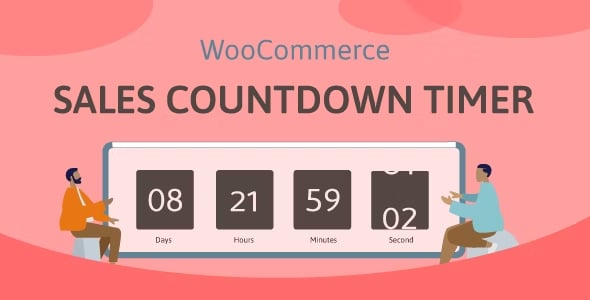
Sales Countdown Timer is a plugin that allows shop owners to boost Sales in the Sale Campaigns. The plugin can display Sales Countdown Timer on any page by shortcodes. It is a must-have plugin for encouraging customers to purchase by creating urgency psychology.
The plugin displays sales countdown timers in single product pages and the shop page of WooCommerce. The clocks will notify customers when the sales end or how many sale product quantities are left. In WooCommerce single product, you can select Sales Countdown Timer settings and schedule sale campaigns.
Sales Countdown Timer GPL Features:
WooCommerce Sales Countdown Timer:
Select Sales Countdown Timer profile in WooCommerce single product page.
Display countdown clock base on WooCommerce sale scheduled time.
Select specific sale time. WooCommerce allows you to schedule sale time by date. With Sale Countdown Timer you are able to select specific sale time by hours and minutes.
Position in single product pages: select where the countdown clock will be displayed in single product pages. There are many options for you to select: before product price, after product price, before the sale flash badges, after the sale flash badges, before the “Add to cart” button, after “Add to cart” button, in the product picture.
Position in archive pages: select where will the countdown click appears in archive pages like shop page, categories pages. There are many options for you to select: before product price, after product price, before sale flash badges, after the sale flash badges, before “add to cart” button, after “add to cart” button, in the product picture.
Display in shop page, categories page, related products: you have options to choose display or hide the countdown clock on these pages.
Upcoming sale message: When you schedule a sale campaign in the future, you can choose to display an upcoming sale message on the single product page. The messages can be customized with a shortcode display of how many time left until the sale time.
Sale ends message: display when will the sale finish the message with the shortcode {countdown_timer}.
Shortcode: the shortcode {countdown_timer} will display the countdown clock.
Sale Progress bar – Stock quantity bar:
The plugin integrates a progress bar that displays how many products are available for the sale campaign, how many products are sold and how many left.
Progress bar message: Configure the sale progress bar message as you want with shortcodes.
Shortcodes:
{quantity_left} – Number of products left
{quantity_sold} – Number of products sold
{percentage_left} – Percentage of products left
{percentage_sold} – Percentage of products sold
{goal} – The goal that you set on the single product page
Progress bar type: select to display the sale progress as increase or dicrease.
Order status: select what order status that will be counted in the progress bar.
Position: there are 2 positions for the sale progress bar above the countdown clock and below the countdown clock.
Design: configure the front end of the progress bar with options for width, height, background color, text color, and border-radius.
Shortcode Countdown Timer
The plugin does not require WooCommerce to work. You can display countdown clocks anywhere by using shortcodes. Settings for Countdown Timer shortcode are similar to the WooCommerce Countdown Timer, the difference is that WooCommerce Countdown Timer displays WooCommerce sale time and the Countdown Timer shortcode display your chosen time. You can learn how to use shortcode to create a sale countdown timer here
Display countdown timer by shortcodes.
Select countdown time in the plugin backend.
Multiple setting profiles
The plugin allows you to set up as many Countdown Timer profiles as you want. Each profile is completely a standalone Sales Countdown Timer. With each profile, you are able to set up full settings including General settings, Design settings.
Checkout countdown timer
Set the checkout countdown timer for a minimum cart total to get a special offer.
The reset mode will be applied only to Administrators for testing purposes.
Reset checkout countdown for a cart after this time if the customer does not place the order during checkout countdown.
Give offers before the checkout countdown timer hits zero: Free shipping and/or discount amount (percentage/fixed amount).
Integrates options that allow you to change offers when the countdown timer hits specific values.
Assign pages where the checkout countdown timer shows up.
Design the checkout countdown timer on the checkout page and other assigned pages.
Design
Feel free to design the sales countdown timer to fit with your front end.
Time display: select the time separator style and time format style.
Countdown timer clock design: configure front-end style with text color, background color, border color, padding, and border radius.
Countdown timer item design: design the items inside the countdown timer, such as date item, hour item.
Design the time value: time value includes the time number and unit. Customizing it with font size, text color, and background color.