



WP User Frontend Pro Business By WeDevs 4.2.6
Original price was: $19.99.$9.99Current price is: $9.99.

WoonderShop Theme | WooCommerce Theme for eCommerce Professionals 4.2.0
Original price was: $19.99.$9.99Current price is: $9.99.
-50%
-
 100% Original - All Premium Features Included.
-
 Unlimited Site & Domain Usage
-
 Safe & Secure


Related Products

Elementor PRO Original Lifetime Last Version
In stock
Original price was: $39.99.$19.99Current price is: $19.99.


WoodMart Theme WordPress WooCommerce Last Version
In stock
Original price was: $19.99.$9.99Current price is: $9.99.

Wordfence Premium – WordPress Malware Scanner 8.1.4
In stock
Original price was: $19.99.$9.99Current price is: $9.99.

Astra Pro Addon For Astra Theme Last Version
In stock
Original price was: $19.99.$9.99Current price is: $9.99.

PlugCart –
YITH WooCommerce Catalog Mode Premium Latest Version
This is a GPL-distributed version. No official support. Clean, secure, and legally redistributed under the GPL license.
Are you interested in displaying a catalog with products without making them immediately available for sale? Or do you want to filter buyers and let only registered users see all the details? Are you taking inventory but would like to leave products online? Or maybe your store might be temporarily closed due to holidays or prepare for a sales period and you need to temporarily suspend sales.
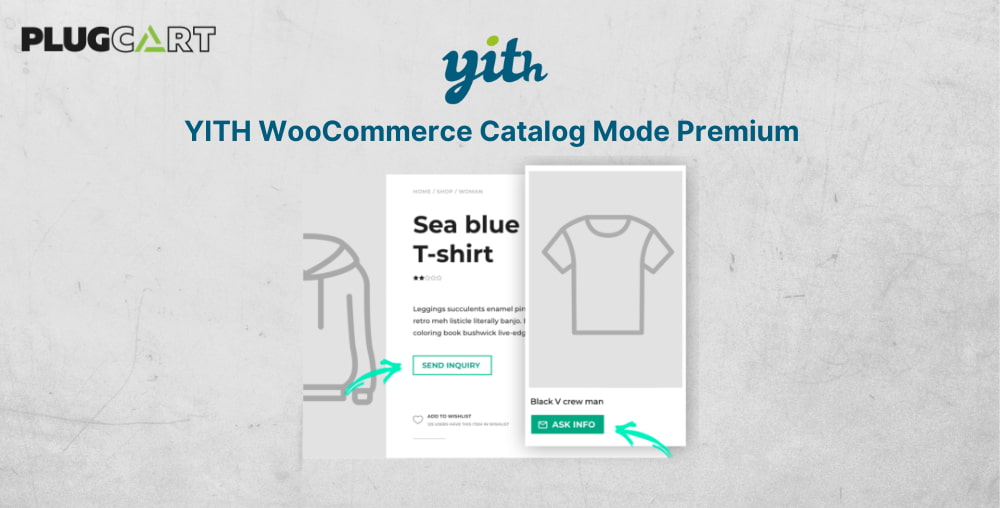
YITH WooCommerce Catalog Mode allows you to turn your online shop into a catalog, by removing Add to Cart buttons and any access to checkout pages, hiding product prices, and replacing it with customizable buttons, text labels, and inquiry forms.
YITH WooCommerce Catalog Mode Premium Features
Enable showing catalog mode settings for administrators also
Hide the “Add to Cart” button from the product page
Hide the “Add to Cart” button from other pages of the site (shop, category, tag pages)
Hide “Cart” and “Checkout” pages and any reference to them with one click
Hide product price
Hide price to all users or to guest users only
Apply the catalog mode settings only to users from specific countries
Hide the “Reviews” tab from product pages for guest users
Create your own Custom buttons or labels and show the right one for your products on the Shop page and on the product page
Show a custom button/label to replace the “Add to cart” button
Show a custom button/label to replace the product price
Do not apply catalog mode rules to products added in the “Exclusion list”. Exclusions are managed from the “Exclusions” tab
Set custom rules for products in the “Exclusion List” at product, category, or tag level
Set custom buttons/labels for products in “Exclusion list” at product, category, or tag level
Add an inquiry form on the product page using one of the following supported plugins:
Contact Form 7
Gravity Form
Ninja Forms NEW
Formidable Forms NEW
Choose the inquiry form position on the product page
after price
after short description
after the “Add to cart” button
into dedicated tab
hidden in a toggle button NEW
Include the product direct link in the requested email.
Compatible with WPML: you can set a different contact form for each configured language your website supports