



Custom Facebook Feed Pro By Smash Balloon 4.7.4
Original price was: $19.99.$9.99Current price is: $9.99.
WPC Linked Variation for WooCommerce Premium 4.3.8
Original price was: $19.99.$9.99Current price is: $9.99.
-50%
-
 100% Original - All Premium Features Included.
-
 Unlimited Site & Domain Usage
-
 Safe & Secure


Related Products

Elementor PRO Original Lifetime Last Version
In stock
Original price was: $39.99.$19.99Current price is: $19.99.


WoodMart Theme WordPress WooCommerce Last Version
In stock
Original price was: $19.99.$9.99Current price is: $9.99.

Wordfence Premium – WordPress Malware Scanner 8.1.4
In stock
Original price was: $19.99.$9.99Current price is: $9.99.

Astra Pro Addon For Astra Theme Last Version
In stock
Original price was: $19.99.$9.99Current price is: $9.99.

PlugCart –
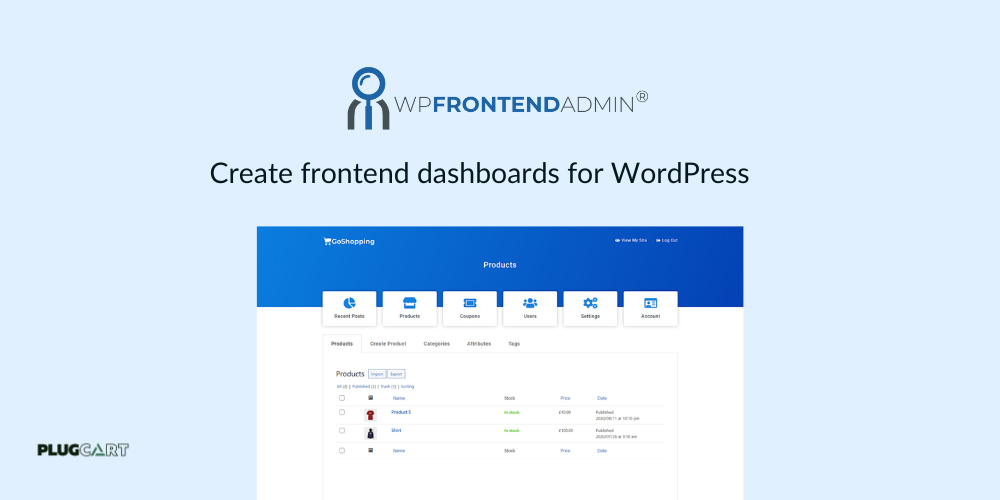
WP Frontend Admin Premium
Create a Platform like Shopify
In this course, we will show you how to create a WaaS platform like Shopify from start to finish, using WordPress Multisite, WP Ultimo, WooCommerce, and WP Frontend Admin.
Charge a monthly fee for each store created in your platform and start making money.
Make money as a web platform developer
There are a lot of apps for businesses like Trello, MailChimp, Typeform, File hosting, and many others.
They are making a lot of money.
You probably have clients, friends, or business partners paying hundreds or thousands of dollars per month for using those apps.
You can use our plugin to create Web Platforms using WordPress, and you can start making money.
Stop sending users to pay for third-party apps, and ask your clients to pay you instead.
How does WP Frontend Admin Premium GPL Works?
1. Create a regular page
Create a page with any builder like Elementor, Divi, Brizy, or the normal editor; and just paste our shortcode with the URL of the admin content.
2. Edit Page
We will automatically display a live editor where you can remove elements with one click, edit texts, add the page to a menu, change the page title, URL, template, and more.
3. Easy customizations
Now the page is visible on the the frontend and you can change the frontend navigation and styles using the page builder. We have a gallery of frontend dashboard designs that you can import to create your platform quickly.
Create all Kinds of Apps and Dashboards
Photo Galleries
You can use a “photo galleries” plugin. Display the “gallery creator” page in the frontend and your users will be able to upload photo galleries and view the galleries
Email Marketing
Use the free “MailPoet” plugin, and display the mailpoet settings, list editor, and newsletter builder in the frontend. Your users will be able to create and send newsletters
Sell Products
Use the free “WooCommerce” plugin and display the products list, sale reports, and settings page in the frontend. So your users can create stores and sell products from your app
Analytics and Stats
Use the free “Monster Insights” plugin. Display the settings and reports pages in the frontend. Your users will be able to set up their Google Analytics account, view stats about web traffic from their site on your platform or their external website
File Hosting
Display the WP Media library in the frontend and allow your users to upload files and view their uploads in the library.
Donations
Use the free “Give” plugin, and display the donation form editor. Your users will be able to create donation forms and receive donations
Events manager
Use the free “The Events Calendar” plugin and display the “attendees” page in the frontend. So the event managers can control the attendees from your app.
Charts Creator
You can use the free “visualizer” plugin and display the “charts editor” in the frontend. Your users will be able to log in and create charts.