


-
 Pick up from the Woodmart Store
-
 Courier delivery
-
 DHL Courier delivery
 Pick up from the Woodmart Store
Courier delivery
DHL Courier delivery
Pick up from the Woodmart Store
Courier delivery
DHL Courier delivery
 Warranty 1 year
 Free 30-Day returns

 Overview
 Processor
 Display
 RAM
RAM
 Storage
 Video Card
 Connectivity
 Features
 Battery
 General
In stock
In stock
In stock
In stock
In stock
In stock
No account yet?
Create an Account





PlugCart –
WooCommerce Customer Email Verification Latest Version
This is a GPL-distributed version. No official support. Clean, secure, and legally redistributed under the GPL license.
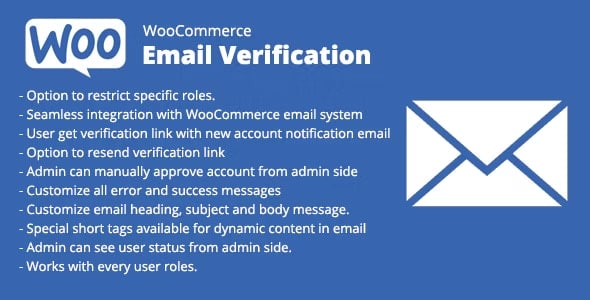
The Customer Email Verification extension helps store owners to reduce registration spam and fake orders by requiring customers to verify their email address when they register an account or before they can check out on your store.
Why use this extension?
Avoid Account Registration Spam – require email verification from customers that register an account on your store or membership site and prevent access to the account area from customers that sign up with fake email addresses just to check around or to get the free trial access.
Avoid Fake Orders – Validating the email before the order can be placed is extremely useful when you sell digital products, memberships and offer free trials, free products and samples.
Avoid Bouncing Emails – avoid bouncing of undelivered “new account” and order emails due to typos in the email address. The new account emails are delayed until successful verification.
Fully Customize the Email Verification workflow – Personalize and edit the content of the verification workflows and customize the design of the verification popup overlay using a customizer with a live preview.
Easily manage and delete Unverified customers – you can easily verify or resend the verification email to customers from the user’s admin, you can also delete all unverified customers at once or schedule auto-delete unverified customers after a certain time from when the account was created.
Email verification for new Customer accounts
Require customers to verify their email address before they can access their accounts:
When a customer registers to an account on your store (my-account), the new customer account is created and flagged as an Unverified Email
Customers whose account is flagged as Unverified Email, will be required to verify their email address before they can access their account
The verification code and verification link are sent to the customer’s email address
Customers can verify their email by clicking on the verification link or entering the code in the verification popup.
Once customers verify their account they will be redirected to the my-account dashboard and their account will be flagged as Verified Email
Customer email verification before checkout
Require customers to verify their email addresses before they can place orders in your store:
Guest customers (non-logged-in) are required to verify their email addresses before they can proceed to Checkout.
The verification code and verification link are sent to the customer’s email address
Customers that their email address is not verified, will be prevented from accessing their account and will be required to enter the verification code to proceed to my account area.
Once the customers verify their account, they will be redirected to the checkout page
if the customer creates an account during checkout, the account will be automatically flagged as a Verified Email
What’s Included
Email verification for new accounts – Require new customers to verify their email addresses when they register for an account on your store.
Email verification on checkout – Require new customers to verify their email addresses before they can place an order in your store (Guest Checkout). Disable checkout until email verification is complete (before checkout or before the cart page).
Verification for free orders only – Apply the verification on checkout for free orders (0 total).
Automatic account email verification – Apply the verification process for users that open a customer account during checkout.
Checkout verification type – Choose between popup overlay or verification that’s inline on the checkout page.
Allow the first login without verification – Customers that open an account can log in to their account the first time after registration, without email verification. Verification will be required the second time they try to log in to their account.
Successful verification redirect – Redirect customers to any page on your website after successful email verification.
Skip email verification – Skip the email verification for selected user roles.
Fully customize the verification process – Customize the verification pop-up overlay and the verification email using Customizer with a live preview.
Manage unverified customers – Email verification status will display for each user on the WordPress user admin. Store admins can manually verify, un-verify, and resend the verification email.
Delay new-account email – delay the WooCommerce New Account email notification to trigger only after successful verification.
Re-verify customer email address – when a customer updates his email address on his account, we require them to verify the new email address before the change will apply.
Verification expiration – set the expiration time for the verification code/email.
Limit resend – limit the number of times the user can resend the verification email.
Bulk actions menu (admin Users list) – verify the option available on the users list admin
Bulk resend – resend the verification emails to all unverified users
Bulk auto-delete unverified users – set a time period to automatically delete customer accounts that did not verify their email addresses.