


-
 Pick up from the Woodmart Store
-
 Courier delivery
-
 DHL Courier delivery
 Pick up from the Woodmart Store
Courier delivery
DHL Courier delivery
Pick up from the Woodmart Store
Courier delivery
DHL Courier delivery
 Warranty 1 year
 Free 30-Day returns

 Overview
 Processor
 Display
 RAM
RAM
 Storage
 Video Card
 Connectivity
 Features
 Battery
 General
In stock
In stock
In stock
In stock
In stock
In stock
No account yet?
Create an Account





alicompanymanager –
WordPress WooCommerce Wallet System Latest Version
This is a GPL-distributed version. No official support. Clean, secure, and legally redistributed under the GPL license.
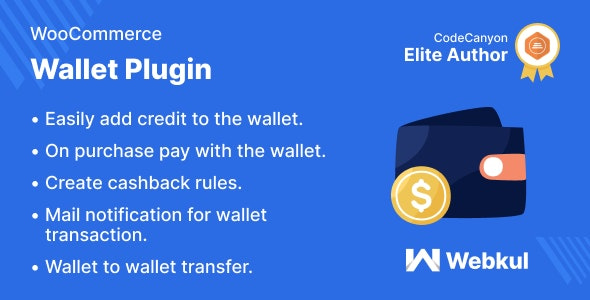
WordPress WooCommerce Wallet System is an awesome plugin that allows customers to make online payments from their Wallet System. You can offer your customers a new convenient way of paying for goods and services. The wallet is an online prepaid account where one can stock money, to be used when required.
There is no chance of a decline of payment since the wallet is a prepaid account. As it is a pre-loaded facility, customers can buy a range of products without having to enter their debit/credit card details for every online transaction. In this plugin, customers/users can use Wallet Cash during the checkout and the amount will be deducted from their Wallet Cash. They can easily add credit to their wallet system.
Note – The WordPress WooCommerce Wallet System Plugin is compatible with Multisite.
WordPress WooCommerce Wallet System GPL Features:
WordPress WooCommerce Wallet System Plugin behaves as an online Payment Gateway –
It behaves as an online payment gateway so a buyer can purchase products from the store by using its available amount.
The customer can easily add credit to their wallet system –
The process of adding credit to their wallet system is super easy for the customers of an online store. They simply need to enter the amount that they want to credit to their wallet system and checkout via available payment methods.
On the checkout page, a customer can choose to use wallet cash or any other payment method –
While placing an order, a buyer can choose whether he wants to use wallet cash for checkout or not.
Wallet amount will get credited after the approval of admin –
If a buyer uses a payment method like Direct Bank Transfer, or Check Payments, then the amount will be credited after the approval of the admin.
Mail notification for wallet transactions –
A buyer will be notified via mail of all the wallet transactions.
Cashback Rules –
The admin can set the minimum cart total, maximum cart total and the cashback amount which the customer will receive if the cart total lies in the range selected by the admin.
Custom Wallet Amount Management –
The admin can manually Debit or Credit the amount into the customer’s wallet.
Restrictions –
Minimum Wallet Credit Amount can be set by admin which means a customer has to credit at least this much amount in his/her wallet. The admin can also set the maximum wallet debit amount which means that the customer can use at most this much amount in a single transaction.
Multiple Cashback Conditions –
If the admin has selected the multiple cashback conditions then the customer will get cashback applicable to both cart and product. If the admin does not choose multiple cashback conditions then the customer will get cashback applicable to the cart or product, the preference of cart or product will also be selected by the admin.
Wallet Transfer –
A customer can transfer his cashback amount to any registered customer.
Wallet Transaction List –
The admin can view the transactions made by the customers and also the transaction details like transaction id, reference, transaction type, amount, date etc.
The admin can set the configuration to accept payments for virtual orders using the wallet.