


-
 Pick up from the Woodmart Store
-
 Courier delivery
-
 DHL Courier delivery


 Pick up from the Woodmart Store
Courier delivery
DHL Courier delivery
Pick up from the Woodmart Store
Courier delivery
DHL Courier delivery
 Warranty 1 year
 Free 30-Day returns

 Overview
 Processor
 Display
 RAM
RAM
 Storage
 Video Card
 Connectivity
 Features
 Battery
 General
In stock
In stock
In stock
In stock
In stock
In stock
No account yet?
Create an Account





PlugCart –
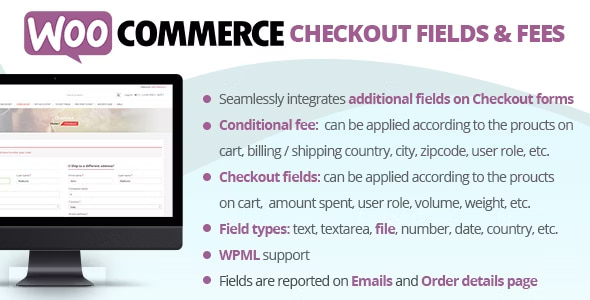
The WooCommerce Checkout Fields & Fees will allow you to easily apply fees (or discounts in case the fee value is negative) and to display additional fields in the checkout Billing and Shipping forms! Both fees and additional fields can be applied/displayed according to logic rules…and all done using a nice visual editor!
LIVE DEMO
http://www.codecanyon.eu/wcccf/wp-admin
(Shop admin account)
user: demo
pass: demo
(customer account)
user: demo2
pass: demo
HOW IT WORKS – WooCommerce Checkout Fields & Fees?
The plugin allows the shop admin to create fees (or discount if the fee value is negative) and additional checkout billing and shipping fields to which optionally he can associate some conditional rules. According to these conditional rules, the plugin will decide if the additional fields have to be shown in the checkout forms and if the fees have to be applied to the checkout cart.
Each field/fee can have multiple conditional rules related between them with and/or conditions. A conditional rule can consider several product/category/cart/user aspects data like the amount spent, height, weight, taxes, user roles…More info at Conditional logic paragraph!
FIELD TYPES
The plugin will allow the shop admin to create the following field types:
Text
Text area
File
Number
Telephone
Email
Password
Select/Multiselect
Date
Time
Country
State
Heading
For each field you can configure its own options like CSS classes to assign to the input field, placeholder text, show on emails, show on the order details page, row size, etc.
FIELD CONDITIONAL LOGIC
Each field can be bounded by several and/or conditional logic rules that will make the field visible only if satisfied. A condition can behave the following typologies:
Product
Category
Cart
User
FEE CONDITIONAL LOGIC
Fee can be dynamically applied according to the following customer and cart data:
User role
Billing / Shipping country and state
Billing / Shipping city
Billing / Shipping zipcode
Payment method
Shipping method
User role
Specific customers
Products / Categories / Tags on cart
Total, subtotal, taxes, volume, weight, etc.
Note: the plugin supports only shipping methods created via the native WooCommerce settings menu. No support for 3rd party plugins.
TEXT, TEXT AREA, NUMBER, TELEPHONE, EMAIL, AND PASSWORD
Not much to explain… the plugin allows you to easily add the “classic” HTML type like text, number, or Email fields!
SORT CHECKOUT FIELDS
Using the Sort & Hide menu it is possible to sort all the Checkout fields and temporarily hide the conditional fields
FILE UPLOAD
Upload any file size on the checkout page! Once a file has been selected, the plugin will display a nice visual bar showing the current file upload progress! Once finished the customer will be able to place the order. The file will be lately accessible via the Admin order details page and optionally via Email and the frontend order details page. Optionally it can be deleted by the admin and reuploaded!
Furthermore, if the order will be deleted, all the associated files will be deleted too! this will avoid unuseful waste of space!
HEADING
Would you like to separate fields by using some headings? You can! Use the special Heading field to render headings among fields!
SELECT/MULTI-SELECT FIELDS
The plugin allows to simply create select and multi-select fields. To do that just create a select/multiselect field specifying values and labels using the following format:
value1 : value 1
value2 : value 2
In which each line has a value and label separated by the: character.
Note for WPML users: you can use different labels for each language but you must use the same values.
For example: ” value_1: Green” for English and “value_1: Verde” for Italian.